
Details
Advanced Restaurant Jobs System
Create fully functional restaurant businesses with custom jobs, crafting menus, recipes, ingredient stocking, registers, receipts and management tools. Set up businesses such as Bean Machine and Burger Shot, or create your own restaurants with completely different menus and recipes.
Features
01 Custom restaurant jobs
Create restaurant jobs for any business you want on your server. Each restaurant can have its own job, menu, crafting locations, recipes, ingredients and setup, so businesses don't all have to work the same way.
02 Bean Machine and Burger Shot included
The script includes two preconfigured restaurant jobs, Bean Machine and Burger Shot, ready to use after installation. You can change their menus, recipes, ingredients, locations and other settings to fit your server.
03 Crafting menus
Create a crafting menu for each restaurant and decide what employees can make, from burgers and fries to coffee, drinks, desserts and meals. A coffee shop can have a completely different product list from a burger restaurant.
04 Custom recipes
Choose which ingredients each item needs and the amount of each one. Recipes can be simple or detailed, requiring several ingredients before an employee can make a product.
05 Ingredient stocking
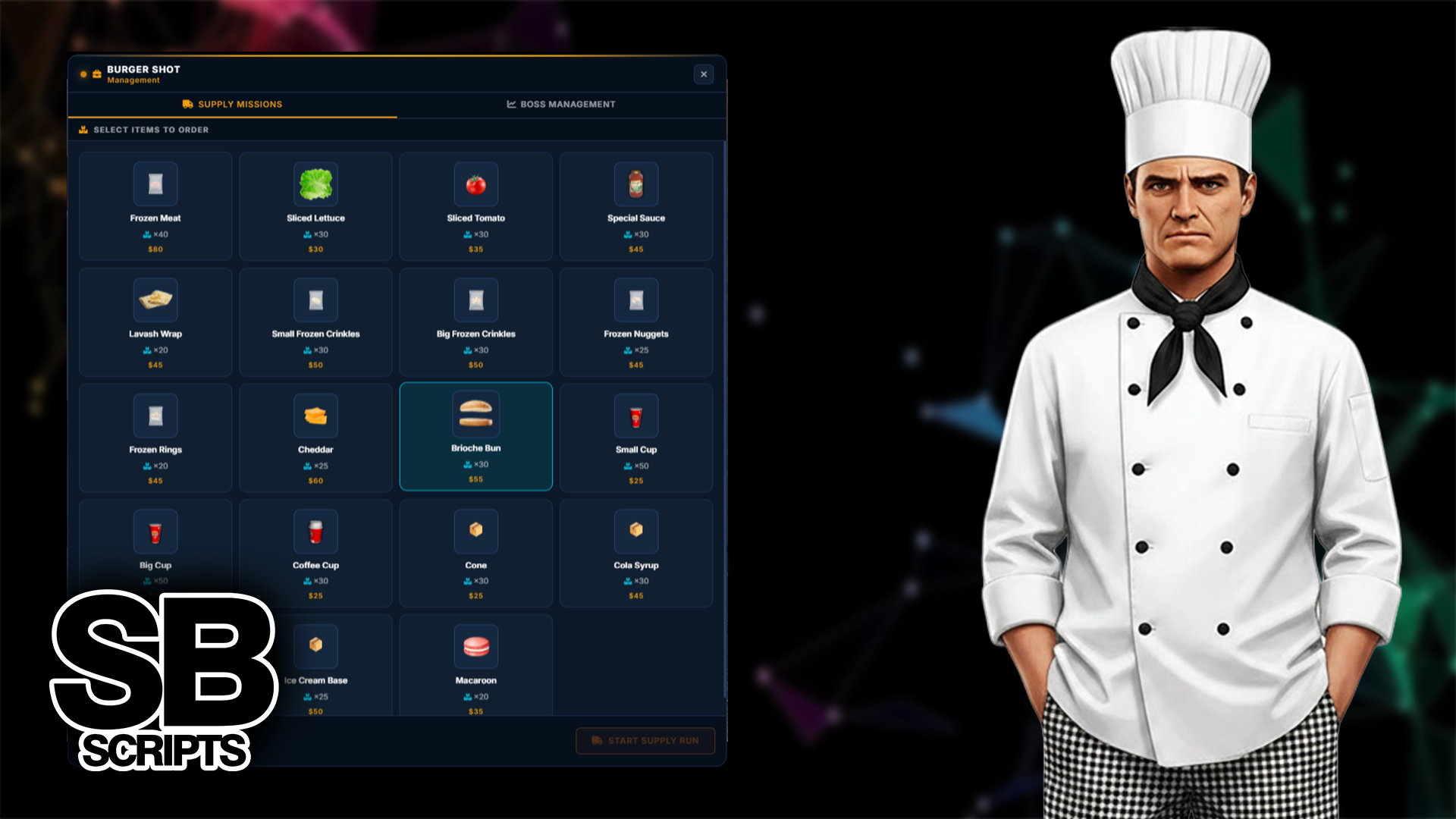
Employees keep the restaurant stocked by picking up supplies and bringing them back to the business. This gives staff work beyond making food and adds a more realistic supply system.
06 Custom crafting locations
Set up crafting locations wherever they make sense, with separate areas for cooking, drinks, coffee or other products. Your restaurant layout can match the real business rather than putting everything into one menu.
07 Restaurant register
Each restaurant has its own register for customer purchases. Employees process orders and complete transactions while the system tracks what is being bought.
08 Detailed receipts
Customers receive a receipt showing each item purchased and its amount, similar to a receipt from a real restaurant.
09 Management system
Owners and authorised employees can manage the restaurant, its staff and other business settings from one management system.
How it works
A simple restaurant workflow that gives employees more to do throughout their shift.
1. Stock ingredients
Employees pick up ingredients and bring them back to the restaurant. Keeping supplies stocked lets the business keep making its products.
2. Prepare products
Employees use the crafting locations to prepare food and drinks with the configured recipes and ingredients.
3. Process orders
Employees use the restaurant register to process customer purchases and complete the transaction.
4. Give the customer a receipt
The completed purchase generates a receipt showing the items bought and the amount of each.
Management system
Give owners and managers the tools they need to run their restaurant.
• Manage restaurant employees
• Control employee permissions
• Manage restaurant operations
• Manage ingredients and supplies
• Manage products and recipes
• Manage crafting locations
• Manage restaurant registers
• Handle customer transactions
• Keep the business organised from one management system
Create your own restaurants
The included restaurants are only the start. Build businesses around your own server's economy and roleplay.
Custom jobs
Create restaurant jobs for any business you want to add to your server.
Custom items
Use your own food, drinks, ingredients and other restaurant items.
Custom recipes
Choose the exact ingredients and amounts required to make each product.
Custom crafting locations
Add crafting stations wherever they are needed inside your restaurant.
Custom businesses
Create additional restaurants beyond the included Bean Machine and Burger Shot jobs.
Compatibility
Frameworks


Target systems: qb-target, ox_target
Inventory: ox_inventory, qb-inventory, codem-inventory
Built for servers that want restaurants to feel like real businesses. Employees stock ingredients, prepare products, serve customers, process purchases and hand out detailed receipts, while owners and managers have the tools to keep everything running.